


1. Use Filters
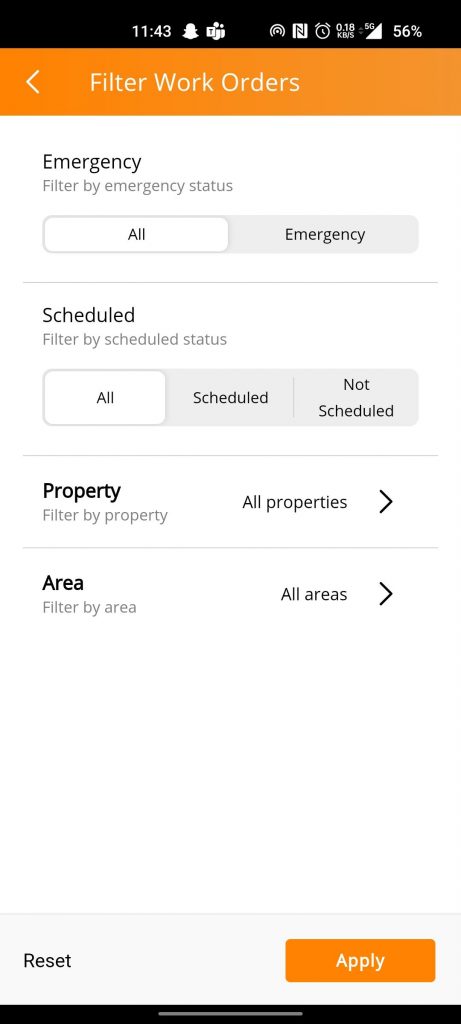
Workorders available on the Contractor App can be filtered by Property (or) by Area (or) by Scheduled/Not Scheduled.
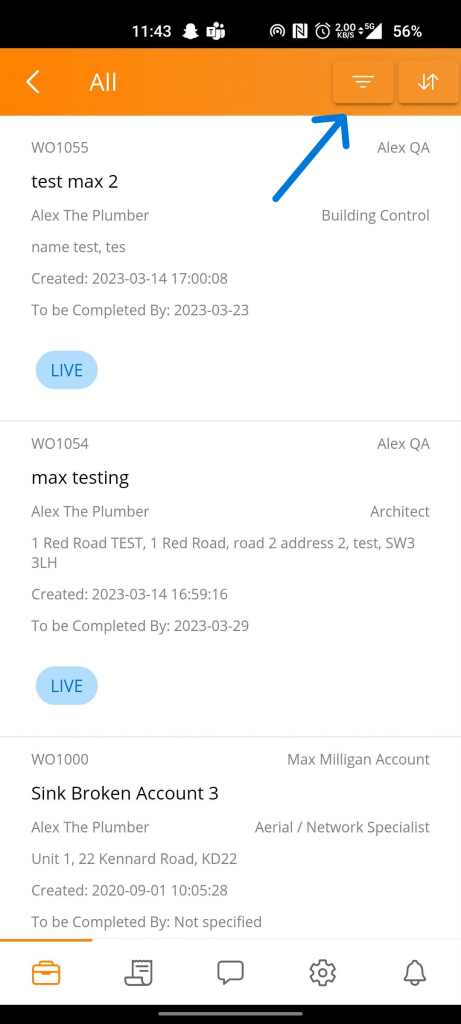
Select the required Filters and click on Apply.
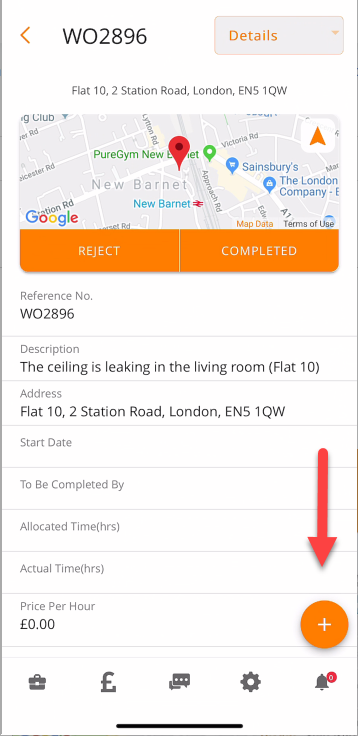
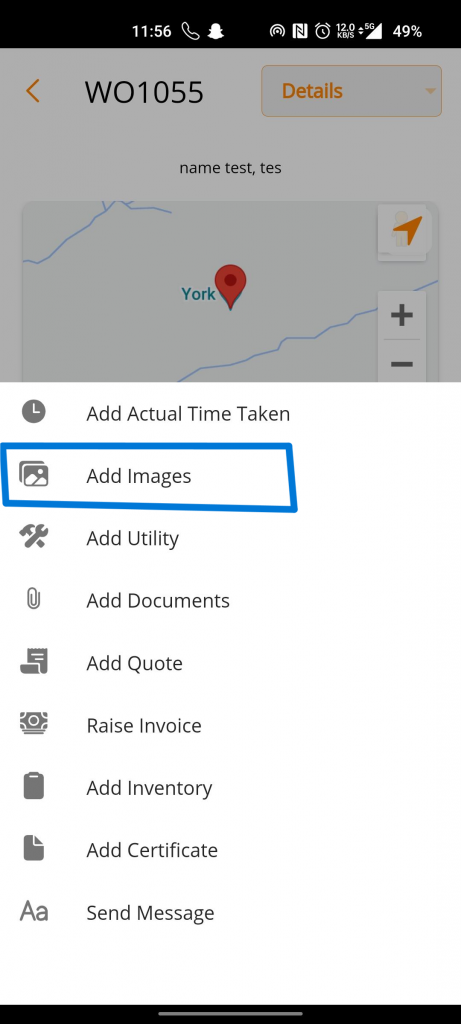
2. Upload Images
Share this
How to filter Workorders by Property, by Area, by Scheduled/Not Scheduled and uploading images within the Contractor App

How to filter Workorders by Property, by Area, by Scheduled/Not Scheduled and uploading images within the Contractor App
5 April 2023
1
min read
What the end of the furlough scheme means for property managers

What the end of the furlough scheme means for property managers
13 July 2021
2
min read
Tenancy Deposit Scheme

Tenancy Deposit Scheme
27 September 2019
3
min read